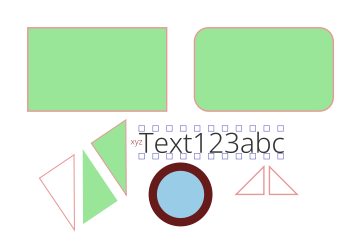
Yesterday, I decided to make the images in my article look like they were on old, burnt paper. I did this manually in the GIMP.
I liked the effect, but I didn’t want the tedium of having to do all n steps manually next time I go to use it. So, I wrote a GIMP plugin script to do it.
Here is an example of the plugin script in action. As you can see, I started with a text layer and a selection that was bigger than the text layer. The plugin uses the selection size as original edge of the paper (original, as in before the paper was burned).
And, here is the resulting image:
Here is the Burnt Paper plugin script. Plop this in a directory that’s in your script search path and refresh GIMP’s scripting and then you’ll find it in the Filters > Decor menu. [You can see the script search path by going to Edit > Preferences and selecting Scripts under Folders in the left sidebar. And, you can refresh the scripts by going to Filters > Script-Fu > Refresh Scripts.]
The first five respondents to this article will receive a Promotional Code to download the app for free! (Edit: all promo codes dished out… if you really want one and will publicly review my app in your blog, I’ll dig up another promo code for you.)
Features
Kid-friendly interface! Just pick the letters you want!
Guides your child to the proper spelling of each word.
Adapts to your child! Cards that consistently give your child trouble show up more often.
Support for English, Spanish, and French! (German and Japanese Kana coming soon)
Lots of words to learn (with more coming soon).
Three different skill levels to challenge your kid!
Exercise some or all of the categories: Numbers, Colors, Foods (with more coming soon).
I released version 1.3 of my Common Lisp Fourier Transform library today. It is significantly faster than yesterday’s version. On my MacBook Pro in SBCL 1.0.30 with a 512 by 512 by 16 array, version 1.3 takes 3.74 seconds where version 1.2 took 9.77 seconds and version 1.0 took 25.31 seconds. For a breakdown of performance on various array sizes with various Lisp implementations, see the performance section of the library page.
Most of the speed improvement in this version came from memory improvements. Version 1.3 doesn’t cons at all in SBCL during the processing of each row. Version 1.2 inadvertently consed three rows worth of complex numbers for every row transformed.
My library is still about 25% slower than Bordeaux FFT for one-dimensional arrays. My library, however, has full support for multi-dimensional arrays where Bordeaux-FFT does not.
I also included some validation test cases using NST to this release. To try them, go to the library directory, hop in your Lisp, and load regression.lisp.
I released version 1.2 of my Common Lisp Fourier Transform library today. It is significantly faster than the old version. On my MacBook Pro in SBCL 1.0.30 with a 512 by 512 by 16 array, version 1.2 takes 9.77 seconds where version 1.0 took 25.31 seconds. Version 1.2 consed 2.4M while version 1.0 consed 7.4M. Neither version should have to cons nearly that much, so there’s still work to be done.
This release is significantly faster under Clozure64 1.3-r11936, too. For a 512 by 512 array, version 1.2 takes 2.72 seconds (single-threaded) and 2.07 seconds (multi-threaded) where version 1.0 took 4.45 seconds (single-threaded) and 3.06 seconds (multi-threaded).
My library is still about 1/2 to 1/3 the speed of Bordeaux FFT and still allocates memory in situations that Bordeaux does not. Hopefully, I can close those gaps most of the way soon.